

Automate the busywork. Build the apps your team is missing.
Power Automate, Power Apps and Dataverse solutions that replace manual steps, spreadsheets and email chains.
In short
Winsolv automates business processes with Microsoft Power Automate and builds business apps with Power Apps and Dataverse. We replace manual steps, spreadsheets and email approvals with governed, supported solutions, and add Copilot Studio AI agents where a step needs judgement. Typical projects take 4–10 weeks.
- Who it's for
- Teams with manual, repetitive or Excel-based processes
- Platforms
- Power Automate (cloud flows and desktop RPA), Power Apps, Dataverse, AI Builder, Copilot Studio
- Typical timeline
- Assessment 2 days; build projects 4–10 weeks
- Where we work
- Based in Athens, Greece — projects worldwide, remote or on-site, in English and Greek
Last updated:
The problem we solve
We map your processes, pick the ones with the best return, and automate them on the Microsoft Power Platform you may already own through Microsoft 365. Where a step needs judgement, we add a Copilot Studio AI agent, so the process runs end to end.
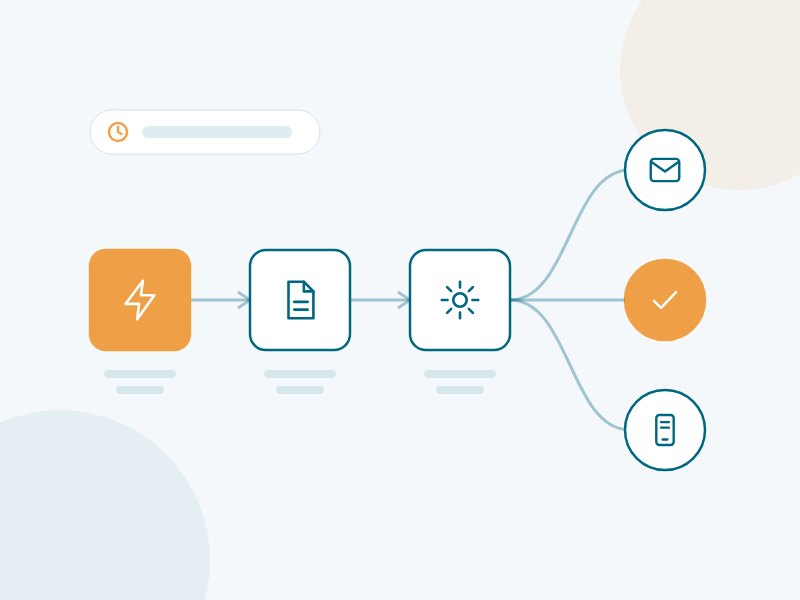
Power Automate & Power Platform – what we deliver
Process automation
Power Automate flows for approvals, notifications, document generation and data sync between systems.
Desktop automation (RPA)
Automate legacy applications that have no API, without changing them.
Business apps
Canvas and model-driven Power Apps on Dataverse, for desktop and mobile.
Integration
Microsoft 365, SharePoint, Teams, Dynamics 365, ERP and custom APIs working together.
AI in your flows
AI Builder, AI prompts and Copilot Studio agents inside your automations: read documents, classify requests and decide the next step.
Governance
Environments, DLP policies, Center of Excellence and ALM with solutions and pipelines.
Where our clients start
Approvals in Teams
Purchase, leave and expense approvals with full audit trail, right inside Microsoft Teams.
Invoice capture
Supplier invoices read by AI and posted to your ERP, with exceptions routed to a person.
Field & inspection apps
Mobile apps for technicians and inspectors that work with photos, signatures and offline data.
Start small, grow with confidence
Automation Assessment
We review your processes and deliver your top-10 automation candidates, ranked by effort and return.
Ask about Automation Assessment →Build Project
Design, build, test and roll out the selected automations and apps, with training for your team.
Ask about Build Project →Power Platform Care
Support, monitoring and a monthly budget of improvements and new automations.
Ask about Power Platform Care →Frequently asked questions
Do we need extra licences?
Often not to start. Many flows and apps run on the Power Platform rights included in Microsoft 365. Premium connectors, Dataverse or RPA need Power Automate or Power Apps premium licences. We check this in the assessment, before you commit.
Can Power Automate work with our non-Microsoft systems?
Yes. Power Automate has hundreds of standard connectors, can call any REST API, and can automate desktop applications through RPA when no API exists.
How do we stop “shadow IT” apps?
With governance from day one: separate environments, data loss prevention (DLP) policies, a Center of Excellence dashboard and a clear process for promoting apps to production.
What is the difference between Power Automate and Power Apps?
Power Automate runs processes in the background: approvals, notifications, data transfers and document generation. Power Apps provides the screens where people enter and view data, on desktop or mobile. Most solutions combine both, with the data stored in Dataverse or SharePoint.
What is RPA and when should we use it?
RPA (robotic process automation) imitates a user’s clicks and keystrokes in a desktop or web application. With Power Automate Desktop we use it when an older system has no API; when an API exists, a cloud flow is faster and more reliable.
How long does it take to automate a process?
A simple approval or notification flow can be live within days. A typical process that touches several systems, with exceptions and testing, takes two to six weeks. The Automation Assessment gives you a realistic estimate for each process.
Can Power Automate connect to on-premises systems and our ERP?
Yes. With the on-premises data gateway, flows can securely read and write data in local SQL Server databases, file shares and ERP systems such as SoftOne, Entersoft or SAP, without opening your network to the internet.
Can we add AI to our Power Automate flows?
Yes. With AI Builder and prompts, flows can read invoices and forms, extract data from documents, classify emails and summarise text. For steps that need reasoning or a conversation, we combine flows with Copilot Studio agents.
What is a Power Platform Centre of Excellence?
A Centre of Excellence (CoE) is the set of rules, tools and people that keeps Power Platform under control as it grows: environments, data loss prevention (DLP) policies, an inventory of apps and flows, and guidance for citizen developers. We set it up with Microsoft’s CoE Starter Kit and adapt it to your size.
Who supports our flows and apps after go-live?
Every solution is delivered with documentation, managed solutions and deployment pipelines, and we train your team. You can run it yourselves or choose a support agreement in which we monitor, fix and improve your flows and apps.
Which processes should we automate first?
Start with processes that are frequent, rule-based and painful today – approvals, data entry between systems, report preparation, onboarding or invoice handling. In a short assessment we list your candidates, estimate the hours saved and pick two or three quick wins to prove the value.
Do Power Apps work on mobile and offline?
Yes. Power Apps run on iOS and Android phones and tablets as well as in the browser and in Teams. Apps built on Dataverse can be set up to work offline – useful for technicians, inspections or sales visits – and synchronise when the connection returns.
Should our app data live in Dataverse or in SharePoint lists?
SharePoint lists are fine for simple, small apps. Dataverse is the better choice when you need relationships between tables, row-level security, larger volumes, auditing or integration with Dynamics 365. We recommend the option that fits each app – and its licensing – before building.
Can you improve flows and apps our staff have already built?
Yes. We review existing flows and apps, fix errors and performance problems, move them into solutions with proper environments and ownership, and document them – so that business-critical automations no longer depend on one person’s account.
Do you deliver Power Automate projects in Greece and internationally?
Yes. We deliver business process automation and workflow automation with Power Automate, plus Power Apps development on Dataverse, for companies in Greece and worldwide — remotely or on-site, in Greek and English.
Other services:
Let's talk about Power Platform
Book a free 30-minute call. We'll discuss your situation and suggest a practical first step.
Book a free 30-minute consultation