

One view of every customer.
Dynamics 365 Sales, Customer Service and Customer Insights, implemented around your processes — with 25+ years of CRM experience.
In short
Winsolv is a Dynamics 365 CRM partner that implements, customises, integrates and supports Microsoft Dynamics 365 Sales, Customer Service, Field Service and Customer Insights. We connect Dynamics 365 to ERP, e-shops, Outlook, Teams and telephony (CTI), migrate data from older systems and support existing installations. A first phase typically goes live in 8–12 weeks.
- Who it's for
- B2B and B2C companies that need one view of every customer across sales and service
- Platforms
- Dynamics 365 Sales, Customer Service, Field Service, Customer Insights, Power Platform
- Typical timeline
- Health check 1 week; first phase 8–12 weeks
- Where we work
- Based in Athens, Greece — projects worldwide, remote or on-site, in English and Greek
Last updated:
The problem we solve
We implement Dynamics 365 in short phases, connect it to the systems you already use, and make sure your teams actually adopt it.
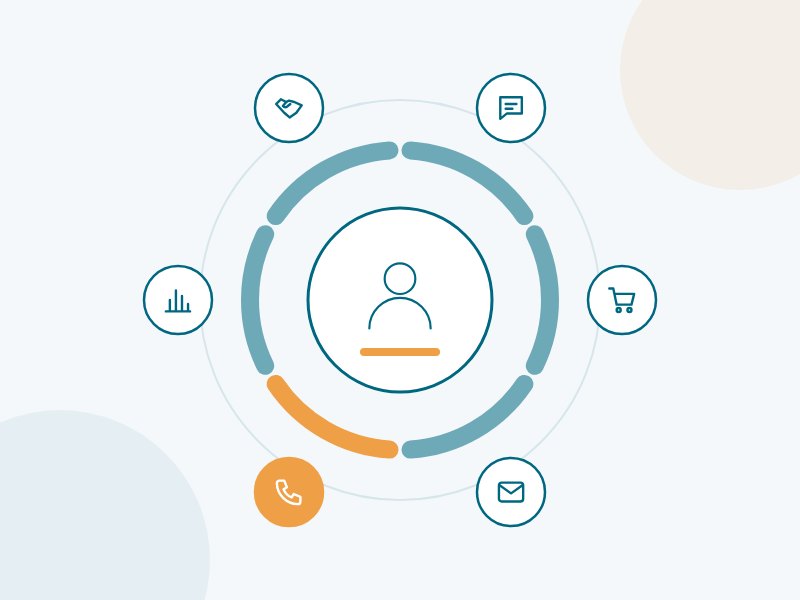
Dynamics 365 CRM – what we deliver
Implementation
Dynamics 365 Sales, Customer Service, Field Service and Customer Insights (Journeys).
Customisation
Tables, forms, business rules, plugins, JavaScript and PCF controls built to your process.
Integration & CTI
ERP, e-shop, Outlook and Teams — plus telephony (CTI), so incoming calls open the right customer record automatically.
Data migration
Clean migration from a legacy CRM, Excel files or Dynamics CRM on-premises.
Copilot & agents
Copilot in Dynamics 365 and custom agents for sales and customer service.
Support & upgrades
Health checks, upgrades, training and support for existing Dynamics 365 systems.
Where our clients start
B2B sales pipeline
Leads, opportunities, quotes and forecasts in one place, synced with Outlook and your ERP.
Omnichannel customer service
Cases from email, web, chat and phone with SLAs, queues and a shared knowledge base.
Call-centre integration
Your phone system connected to Dynamics 365: caller recognition, call logging and click-to-dial.
Start small, grow with confidence
CRM Health Check
A review of your current CRM — data quality, customisations, performance and adoption — with a prioritised action plan.
Ask about CRM Health Check →Implementation
Discovery, design, build, data migration, training and go-live, delivered in measurable phases.
Ask about Implementation →Dynamics Care
Ongoing support, small changes, release updates and user help from a team that knows your system.
Ask about Dynamics Care →Frequently asked questions
Can you take over an existing Dynamics 365 system?
Yes. We start with a health check to understand the customisations and data, then take over support and further development.
How long does a typical implementation take?
A focused first phase (for example Sales or Customer Service) usually goes live in 8–12 weeks. Larger, multi-department projects are delivered in phases over several months.
Can we move from Dynamics CRM on-premises to the cloud?
Yes. We plan the migration of customisations, data and integrations to Dynamics 365 online and use the move to clean up what is no longer needed.
How much does Dynamics 365 cost?
Dynamics 365 is licensed per user per month; the price depends on the apps (for example Sales or Customer Service) and the edition you choose. The implementation cost depends on the scope. After a short discovery we give you a fixed-price proposal for the first phase and help you choose the most economical licences.
Can Dynamics 365 integrate with our ERP?
Yes. We connect Dynamics 365 with ERP systems such as SoftOne, Entersoft, SAP and Dynamics 365 Business Central, so customers, products, prices, orders and invoices stay in sync, using Power Automate, Azure Logic Apps or dedicated connectors.
What is CTI and how does it work with Dynamics 365?
CTI (computer telephony integration) connects your phone system with Dynamics 365. When a call comes in, the caller’s record opens automatically, calls are logged and users can dial with one click. It saves time in call centres and gives sales and service a complete customer history.
Can we use Dynamics 365 in Outlook and on mobile?
Yes. The Dynamics 365 App for Outlook lets users track emails and meetings directly from their inbox, and the mobile app gives access to customers, opportunities and cases from any phone or tablet.
Which Dynamics 365 app do we need – Sales, Customer Service or Field Service?
It depends on the process: Dynamics 365 Sales for leads, opportunities and quotes; Customer Service for cases, email and chat support with a knowledge base; Field Service for technicians, work orders and scheduling. Many companies start with one app and add others later on the same Dataverse data. Our discovery workshop recommends the right mix.
How do you migrate our data from our current CRM or Excel?
We map your current data to Dynamics 365, clean and de-duplicate it, and run test migrations that you check before the final move. Accounts, contacts, open opportunities, cases and history can be migrated – we agree with you what is worth bringing across.
Does Dynamics 365 include Copilot and AI features?
Yes. Copilot in Dynamics 365 Sales and Customer Service can summarise records and cases, draft emails and replies and prepare for meetings, and Microsoft keeps adding AI agents for sales and service. Availability depends on licence, region and language, so we check which features you can use and switch on those that add value.
Can Dynamics 365 be adapted to our processes without heavy coding?
Mostly, yes. Forms, views, fields, business process flows, rules and dashboards are configured rather than coded, and Power Automate and Power Apps cover most extensions. We use custom code only where it is really needed, which keeps upgrades simple.
How do you make sure our team actually uses the CRM?
Adoption is planned from the start: we involve key users in the design, keep screens simple, connect Dynamics 365 to Outlook and Teams, train each role on its own tasks and give managers dashboards that rely on the CRM data. After go-live we track usage and adjust.
Dynamics 365 or another CRM such as Salesforce or HubSpot?
All are capable CRMs. Dynamics 365 is usually the strongest fit when you already use Microsoft 365, Teams and Power BI, need deep customisation on Dataverse, or want CRM, service, field service and AI agents on one platform. We give you an honest comparison for your requirements.
Can Dynamics 365 handle marketing and customer journeys?
Yes, with Dynamics 365 Customer Insights – Journeys (formerly Dynamics 365 Marketing): email and SMS campaigns, segments, automated customer journeys, event management and consent management, using the same customer data as sales and service.
Are you a Dynamics 365 partner in Greece, and do you work with clients abroad?
Yes. Winsolv is an Athens-based Dynamics 365 partner offering CRM consulting, Dynamics 365 implementation and support for Dynamics 365 Sales and Dynamics 365 Customer Service, including CTI integration with your phone system. We work with clients in Greece and worldwide, remotely or on-site, in English and Greek.
Other services:
Let's talk about Dynamics 365
Book a free 30-minute call. We'll discuss your situation and suggest a practical first step.
Book a free 30-minute consultation